Using AWS CodeStar is really awesome, and I highly recommend it. However, you need to be careful to modify your initial template.yml file appropriately or you'll have random HelloWorlds popping up all over the place. This blog post is about how to modify the template.
Weird Names In Lambda
Console
By default, the name will look something like this.

the name of the function will be a combination of the name of the stack doing the deploy in CodePipeline, then this "HelloWorld" string (which is more generally just the resource name), and finally a random string on the end just to make things a bit more confusing and cluttered. And all these things are concatenated with hyphens to make one big string function name. This is a pretty name already, and we haven't even introduced the concept of environments yet.
The Initial Template.Yml
Along with javascript code for your function will be a template.yaml file that describes your "resource" to AWS. A fresh scaffold (as of June 2018) should look something like this (notice the "HelloWorld" in it).
AWSTemplateFormatVersion: 2010-09-09
Transform:
- AWS::Serverless-2016-10-31
- AWS::CodeStar

Parameters:
  ProjectId:
    Type: String
    Description: AWS CodeStar projectID used to associate new resources to team members

# Enable blue/green deployments using this Globals section. For instructions, see the AWS CodeStar User Guide:
# https://docs.aws.amazon.com/codestar/latest/userguide/how-to-modify-serverless-project.html?icmpid=docs_acs_rm_tr
#
# Globals:
#   Function:
#     AutoPublishAlias: live
#     DeploymentPreference:
#       Enabled: true
#       Type: Canary10Percent5Minutes

Resources:
  GetHelloWorld:
    Type: AWS::Serverless::Function
    Properties:
      Handler: index.get
      Runtime: nodejs4.3
      Role:
        Fn::ImportValue:
          !Join ['-', [!Ref 'ProjectId', !Ref 'AWS::Region', 'LambdaTrustRole']]
      Events:
        GetEvent:
          Type: Api
          Properties:
            Path: /
            Method: get
Don't Just Delete It
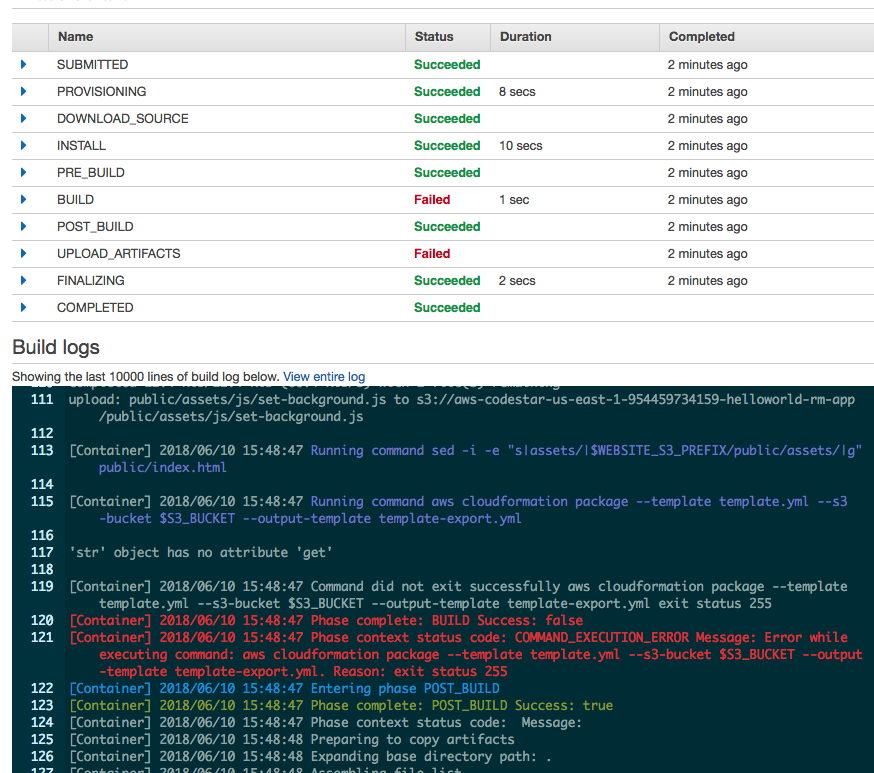
You might try to be clever and think, "well I'm only describing one thing here, why do I need to give it this extra name?". I think it's a valid point, but if you just delete the "HelloWorld", no matter what indentation you do for all the stuff under it, you'll get an error like, 'str' object has no attribute 'get'. If you get this error then it's trying to use a regular object instead of the resource (meaning it can't find your resource and something really wrong happened).
Changing The Resource Name
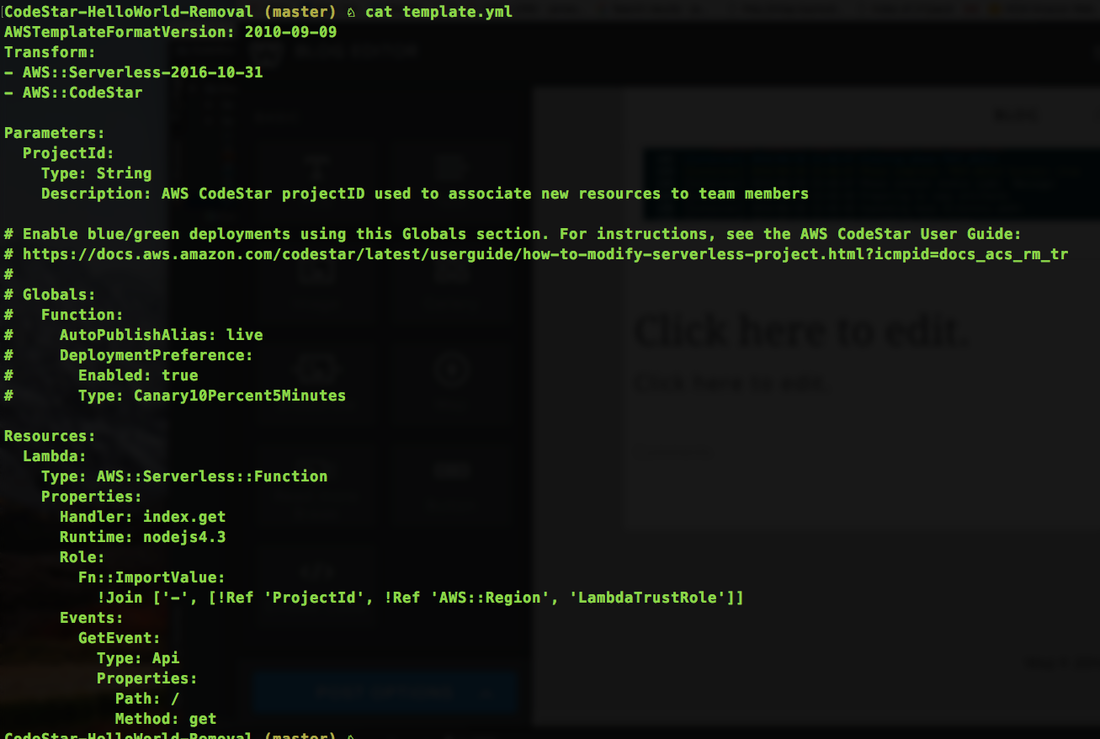
Honestly, the resource name is not that important, but it just looks very noobish when all of you lambda functions have "HelloWorld" in them for no reason other than you were too afraid of breaking the pipeline to change it. Well, the good news is that you can change the resource name to pretty much anything you like, but as a personal habit I like to just name it "Lambda". Also, don't forget the colon at the end of the resource name. It should look something like this.
Function Name Changed!
Since your AWS Scaffold is hooked up to Code Pipeline, all you need to do after changing the template.yml is commit and push your code with git. Your funciton should then (eventually) be deployed and visible in the lambda console with the new name.

Notice that even when you change names, the AWS Lambda console is smart enough to delete the old one and only show the latest name for each lambda function.
Changing The Stack Name
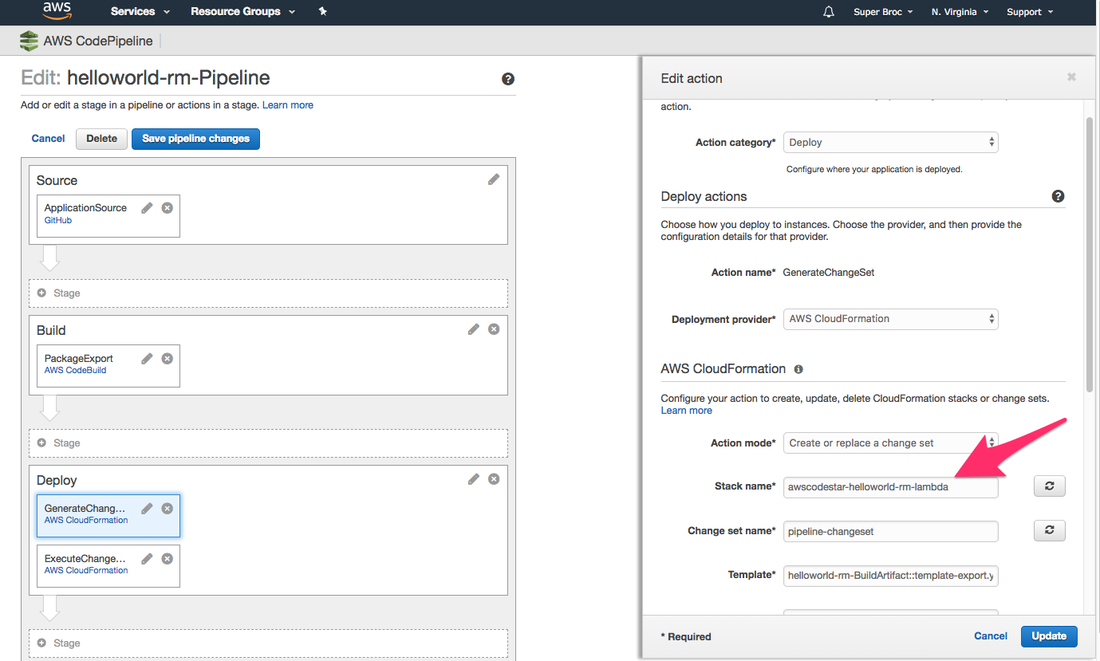
You might notice that the end result lambda function name that I'm recommending is,
"awscodestar-helloworld-rm-lambda-Lambda-NT208CVUK2T3". Of course the "lambda-Lambda" part is pretty redundant, but I suggest replacing the lowercase "lambda" with the environment name (eg staging, prod, dev, qa, etc). The "helloworld-rm" part is just the name of my codestar project so I think that's fine. I even kind of like keeping the "awscodestar" string in the beginning to really differentiate the functions that were scaffolded through CodeStar, have CI / CD pipelines, etc. I'm planning to do another post on changing the stack name, and when I do I'll post a link back here. Stay tuned! :)
"awscodestar-helloworld-rm-lambda-Lambda-NT208CVUK2T3". Of course the "lambda-Lambda" part is pretty redundant, but I suggest replacing the lowercase "lambda" with the environment name (eg staging, prod, dev, qa, etc). The "helloworld-rm" part is just the name of my codestar project so I think that's fine. I even kind of like keeping the "awscodestar" string in the beginning to really differentiate the functions that were scaffolded through CodeStar, have CI / CD pipelines, etc. I'm planning to do another post on changing the stack name, and when I do I'll post a link back here. Stay tuned! :)


 RSS Feed