Key Tool: Google Drive
The Google Drive is something that is so simple that I think a lot of people take you for granted, but it is a very powerful and convenient tool. If you and your business are not using it then you're really missing out! I've been using it at home and at the companies I've worked. Let's go over what I like about Google Drive.
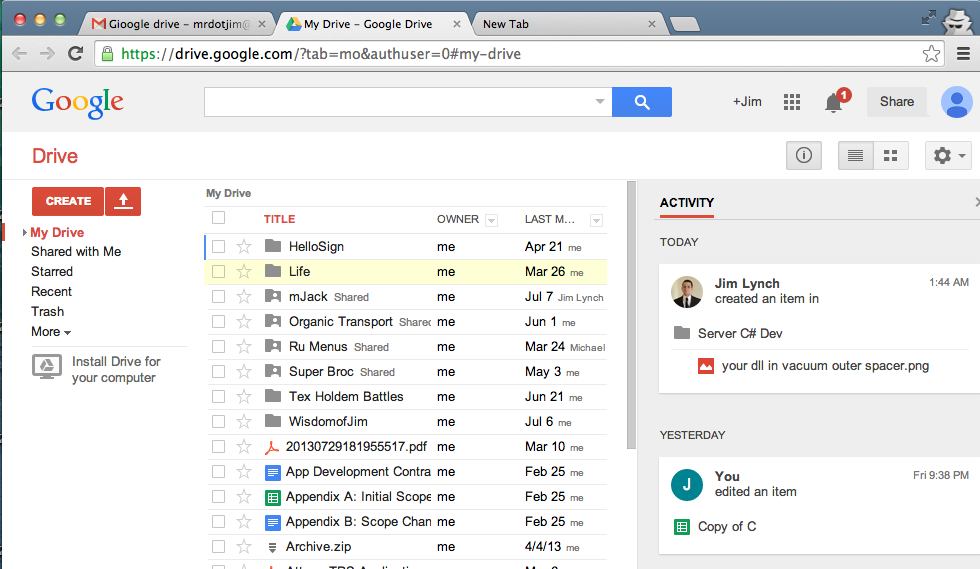
Intuitive Web InterfaceIt's really hard to say anything bad about the online interface for google drive. You can clearly see everything in the center of the page. You have a nice collapsable directory structure on the left, and sharing settings / activity feed on the right.
|
|
|
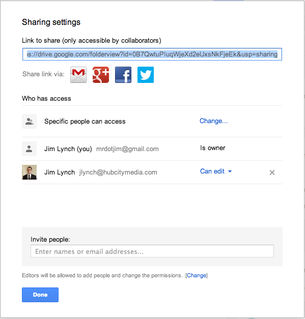
Simple but Flexible Sharing Controls
With Google Drive you can choose exactly who you want each document to be shared with. Share folders at a time or individual documents. Google drive gives you complete control and a clear indication of how your files are being shared. You can also make organizations or groups for more streamlined sharing with large groups.
|
Built in "Remote Pair Programming”
Remote Pair Programming is really awesome, see my other post on Screen Hero for more on that. Google, however puts this functionality in all of their document types. Share a doc with someone, and if you're both using it at the same time you'll be able to see their cursor and exactly what they are typinf in real time! Now that is cool and is immensely helpful for collaboration.
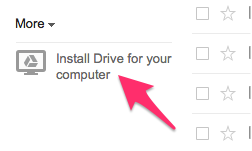
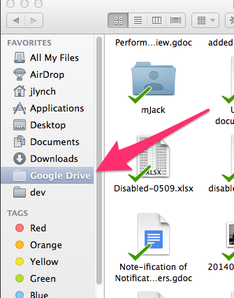
Integrates into Local Directory System
It's very simple to integrate your google drive right into your local machines directory structure. This really frees you from having to upload and download everything from the web console. See more about Google Drive and why I call it a Pseudo-SVN.
|
|

|
|